CLI & TUI Showcase
See Matchstick CLI and TUI tools in action with real screenshots
CLI & TUI Tools Showcase
Matchstick includes powerful command-line and terminal user interface tools for professional trading workflows.
:::note[Status] CLI v0.1.0 is released with Alpaca paper trading support. Download now. :::
Interactive Gallery
The gallery below showcases real screenshots from the CLI and TUI applications, including:
- CLI Tools: Project scaffolding, backtesting, live trading sessions, and performance benchmarks
- TUI Themes: Multiple visual themes (Neon, Retro, Cozy) for different preferences
- Workflows: Real-world trading workflows and analysis tools
Matchstick Events Desktop App
Role-based dashboard view of real-time filings
Instant local filtering
Robust connection management
Native filing reader
Aggregated news sources
What You’re Seeing
CLI Capabilities
- Project Scaffolding: Initialize trading strategy projects in ~200ms
- Backtest Results: Professional-grade performance metrics (67.6% win rate, 2.14 Sharpe ratio)
- Live Trading: Real-time market data processing (50K ticks/sec, 0.8ms latency)
- Performance Benchmarks: Sub-millisecond execution times
- Alpaca Integration: Paper and live trading with full order management
TUI Features
- Multiple Themes: Choose from Neon, Retro, or Cozy themes
- Live Market Dashboard: Real-time streaming data visualization
- Backtest Analysis: Visual strategy validation with performance indicators
- Trade Manager: Real-time P&L tracking and position monitoring
Getting Started
-
Download CLI v0.1.0: GitHub Releases
-
Connect Alpaca:
matchstick connect alpaca matchstick account -
Try Matchstick Events: Free browser demo for monitoring live market events
-
Explore Matchstick Radar: Programmatic access to market data
Related Resources
- Tooling Documentation - Full CLI command reference
- Integrations Guide - Alpaca and Radar setup
- GitHub Discussions - Community and feedback
Questions? Contact us at /contact or join our community.
See Matchstick in Action
Real screenshots from the CLI and TUI applications showing professional trading workflows, multiple themes, and impressive performance metrics.
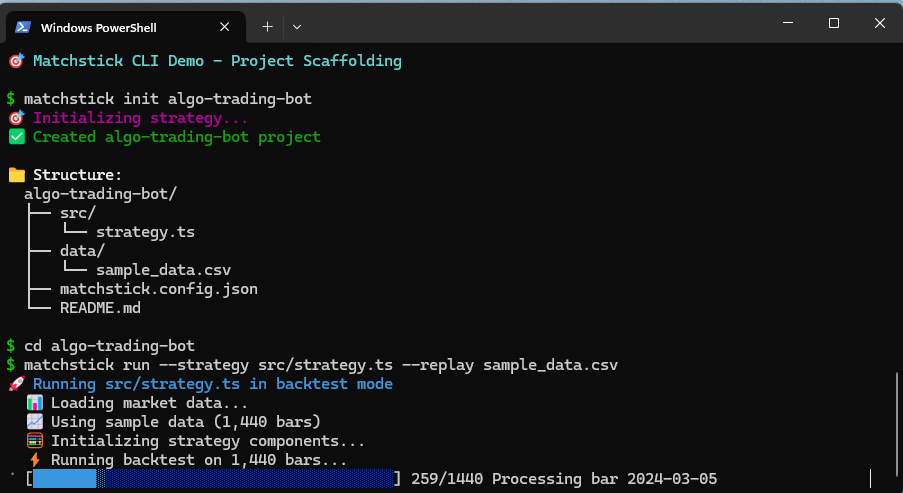
CLI: Project Scaffolding
Complete trading project setup in ~200ms
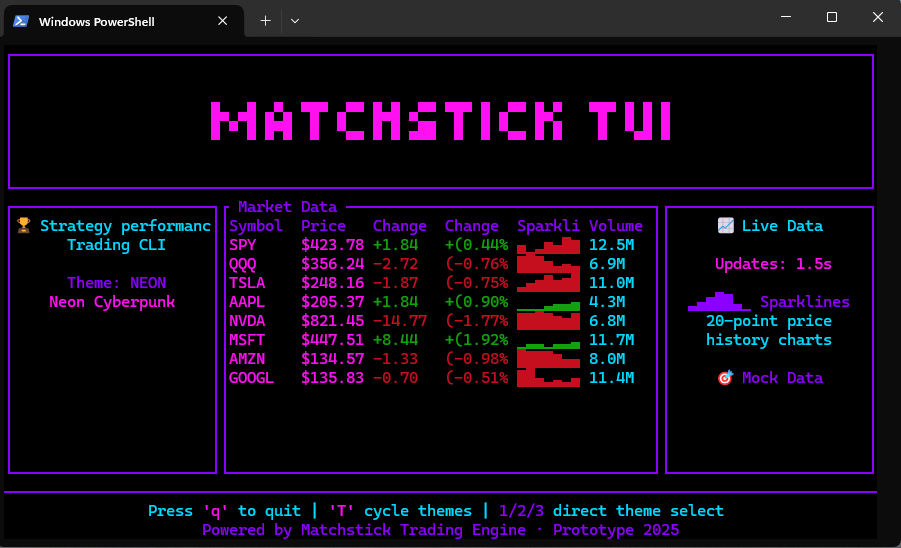
TUI: Live Market Dashboard
Real-time streaming with cyberpunk aesthetics
More Examples
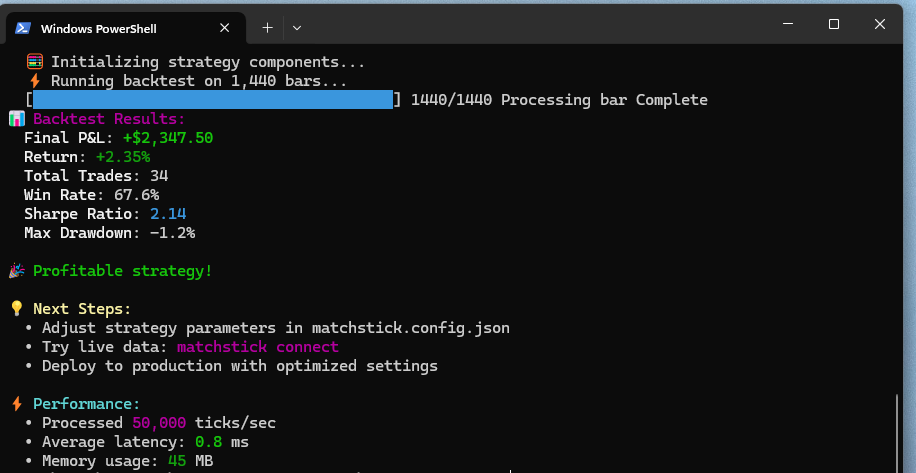
Backtest Results
67.6% win rate, 2.14 Sharpe
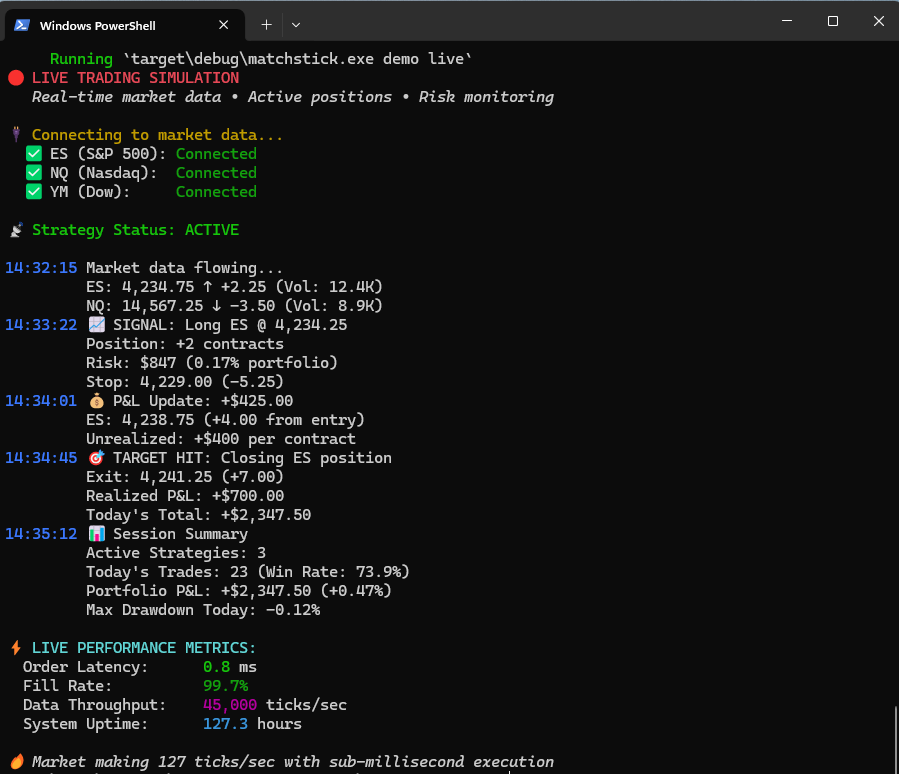
Live Trading
50K ticks/sec, 0.8ms latency
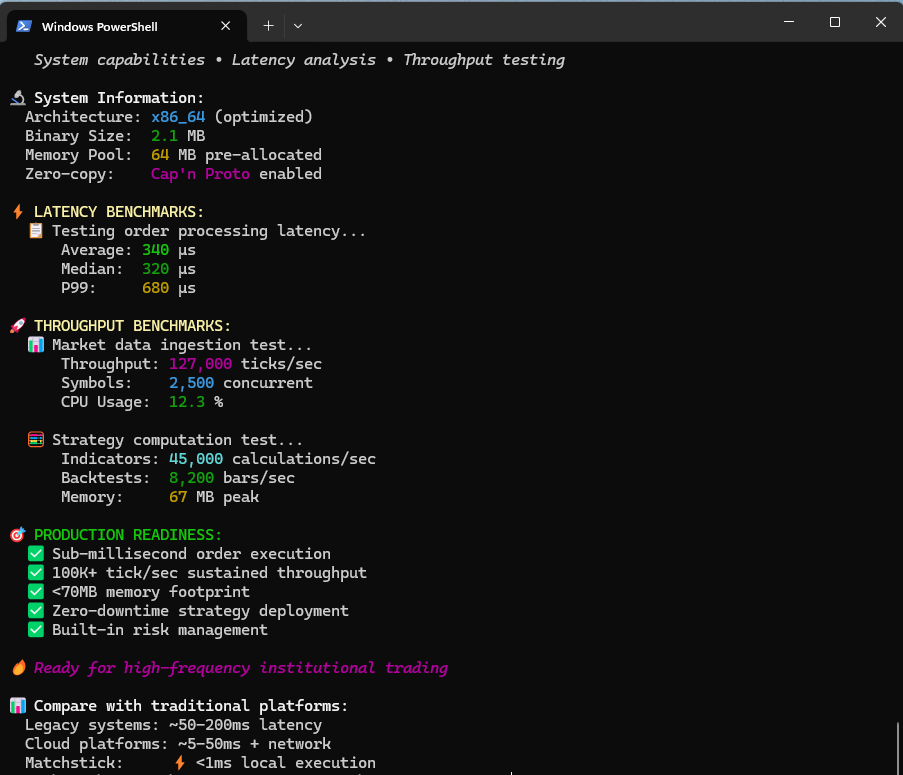
Performance
Sub-millisecond execution
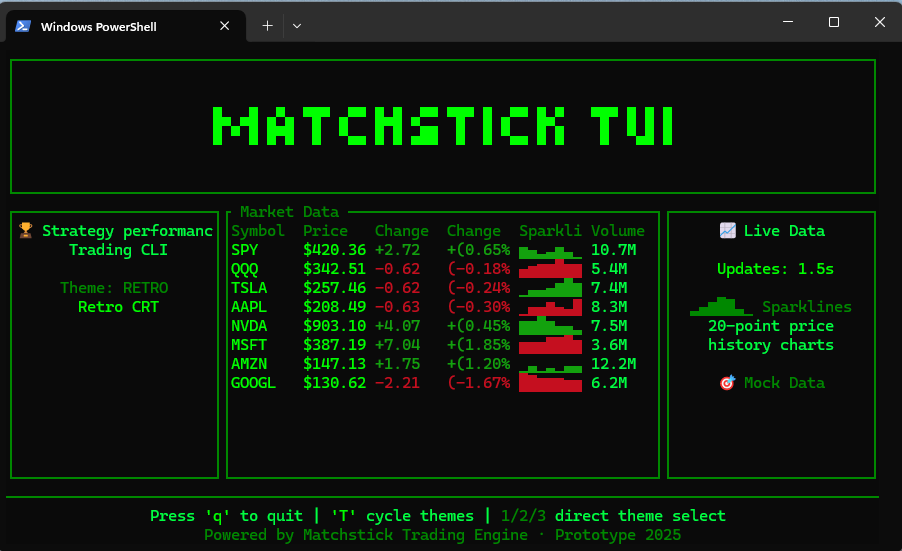
Retro Theme
Classic terminal vibes
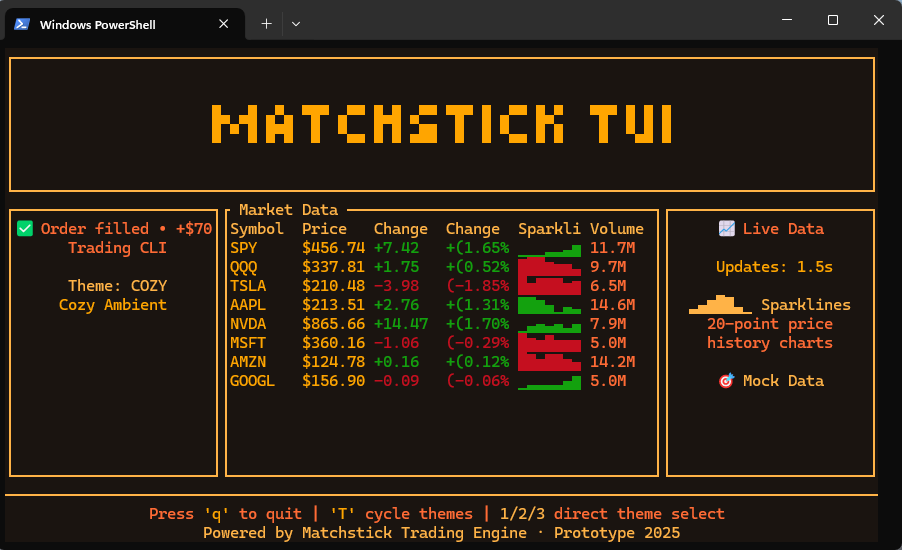
Cozy Theme
Eye-friendly palette
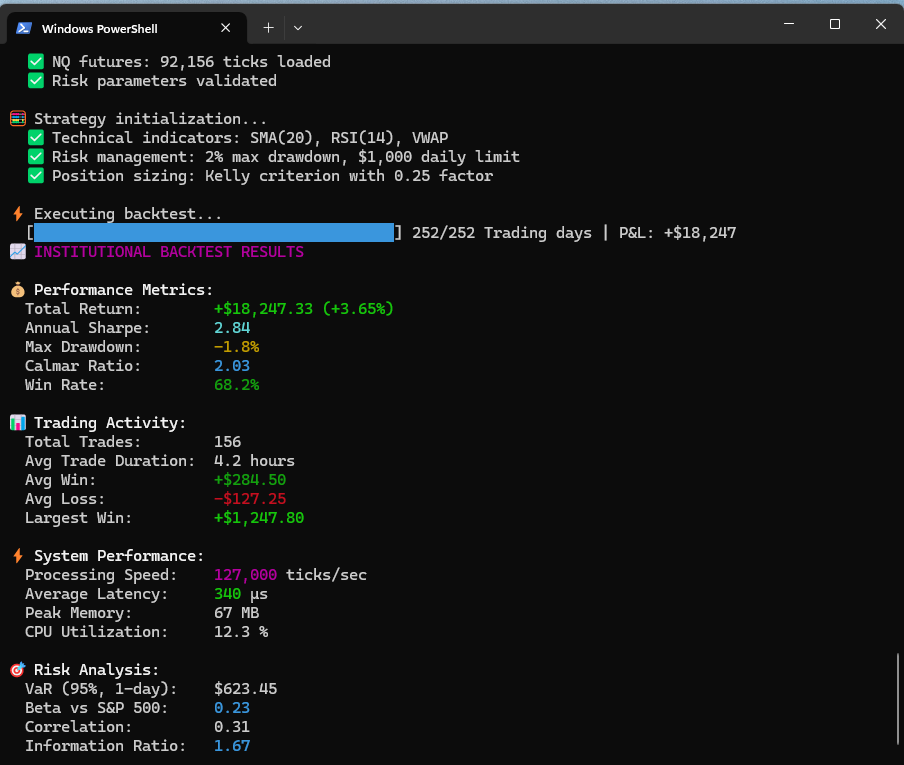
Backtest Analysis
Visual strategy validation
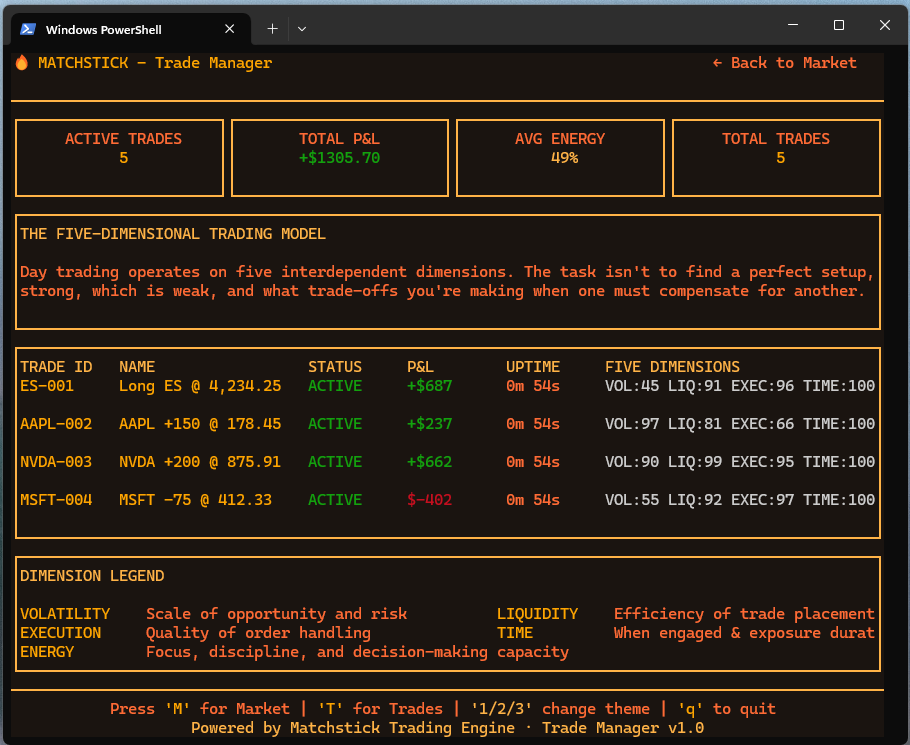
Trade Manager
Real-time P&L tracking