Tooling
Matchstick
product
#tooling
#cli
#tui
#alpaca
#trading
Last updated: January 16, 2026
CLI and TUI tools for trading, backtesting, and analysis
Overview
Matchstick ships with powerful CLI tools for trading, backtesting, and local development.
Status: CLI v0.1.0 released with Alpaca paper trading support.
Installation
Download Binary
Linux x86_64:
curl -L https://github.com/matchstick-trading/.github/releases/download/v0.1.0/matchstick-v0.1.0-linux-x86_64.tar.gz | tar xz
chmod +x matchstick-linux-x86_64
sudo mv matchstick-linux-x86_64 /usr/local/bin/matchstickNote: macOS and Windows builds coming soon.
CLI Commands
Trading Commands (Alpaca)
Connect your Alpaca account for paper or live trading:
# Set up Alpaca connection (interactive)
matchstick connect alpaca

# Check connection status
matchstick connect status
Account Management:
# View account balance, equity, buying power
matchstick account
Positions:
# List all open positions with P&L
matchstick positions

# Show specific position
matchstick positions show AAPL

# Close a position
matchstick positions close AAPL
Orders:
# Market buy order
matchstick order buy AAPL 10

# Limit sell order
matchstick order sell AAPL 10 --limit 150

# Cancel an order
matchstick order cancel --order-id <id>

# List recent orders
matchstick orders
Development Commands
# Create new strategy project
matchstick init my-strategy

# Run backtest simulation (demo)
matchstick run

# Performance benchmark
matchstick play

# Interactive demos
matchstick demo cli
matchstick demo backtest

# View watchlist
matchstick watchlist show examples/watchlists/growth-stocks.json

# Submit feedback
matchstick feedback
Paper vs Live Trading
By default, all trading commands use paper trading (simulated, no real money).
To use live trading:
matchstick connect alpaca --liveWarning: Live trading uses real money. Double-check your environment before trading.
Configuration
Credentials are stored in ~/.matchstick/config.toml:
[alpaca]
api_key = "your-key"
api_secret = "your-secret"  # Encrypted at rest
environment = "paper"  # or "live"
TUI Monitor (In Development)
The TUI monitor is a terminal-first alternative to the Events UI.
Intended for:
- SSH workflows
- Remote servers
- Low-bandwidth environments
Status:
- Prototyped
- Awaiting unified engine integration
Gallery
CLI Examples
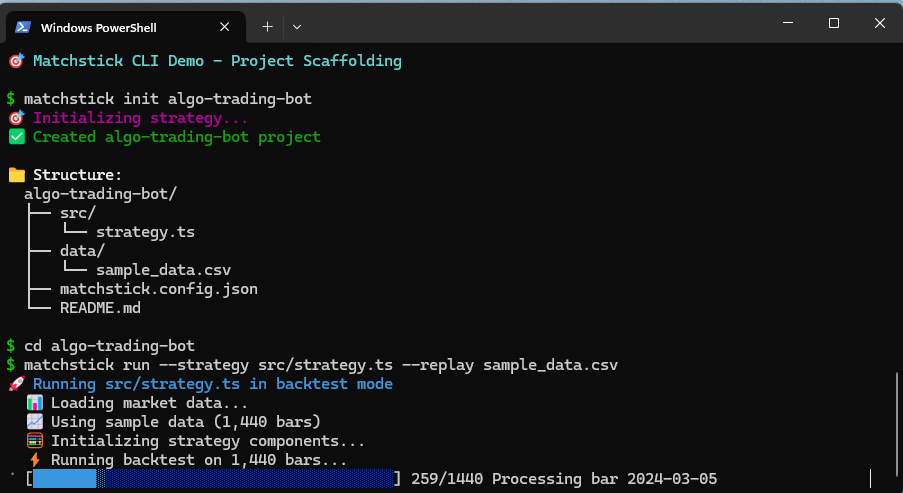
Project Scaffolding
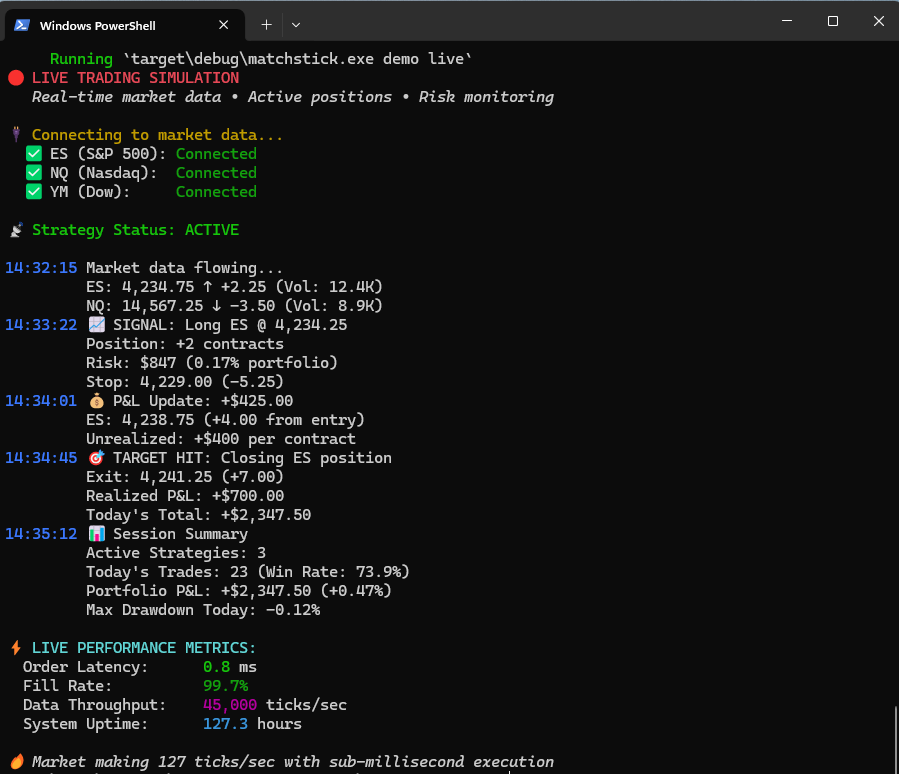
Live Trading Session
TUI Examples
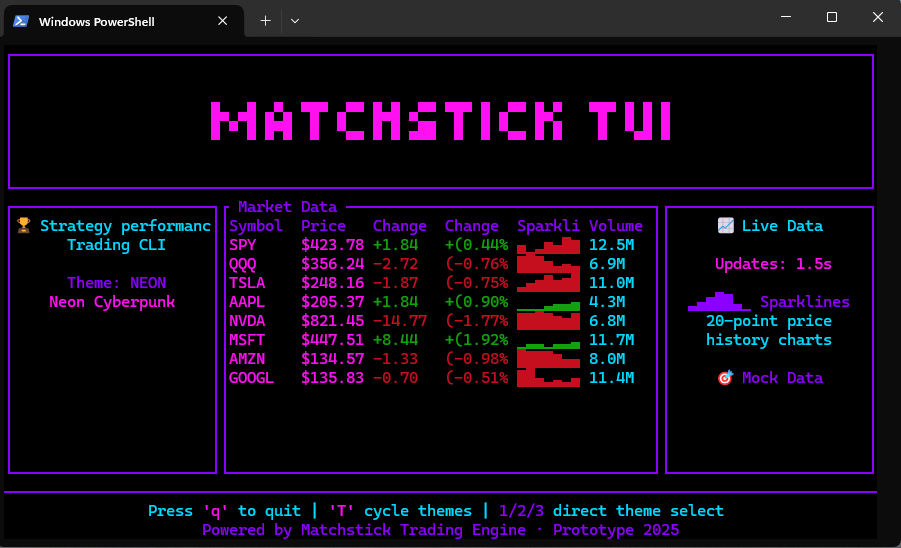
Neon Theme Dashboard
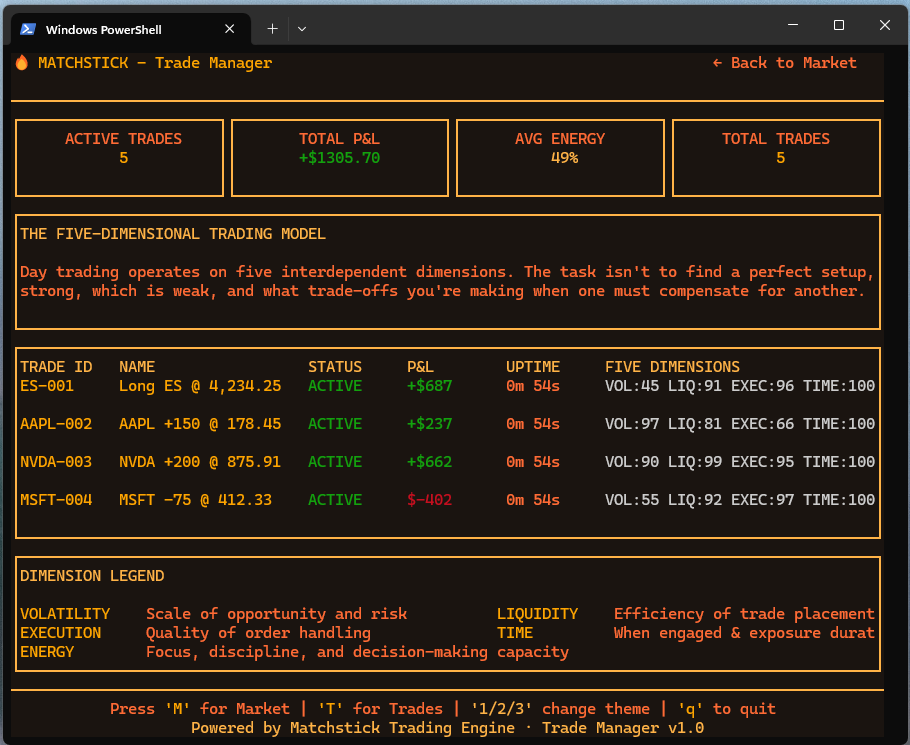
Trade Manager